
DetailOAR Field Manual · Social media
A Simple Social Media Content System for Detailers
Turn everyday jobs and customer questions into a weekly content routine you can keep up, with permissions, captions that teach, and lead tracking.
Save or use this guide
Contents
Start
Know the outcome.
Pull a month of varied posts out of real work without slowing down jobs or faking a single result.
Audience, time, and cost
Owners who post in fits and starts, lean on the same before-and-after shot, or spend more time making content than answering leads.
Time and costCapture while you work, then batch the selecting, captioning, and scheduling into about 90 minutes a week.
Before you start
Pick the one or two platforms your target customer actually uses, get image permissions on record, and list the questions prospects keep asking.
Tools and materials
- content calendar
- phone editor
- scheduler optional
- approved job media
- question list
- caption templates
Steps
Do the work in order.
-
Step 1 Make one approved post
Choose one photo already approved for marketing and write three lines: the situation, what changed, and one next action. Keep the result truthful and the customer private.
-
Step 2 Create a capture checklist
On jobs that suit it, grab one matched result, one safe process detail, one explanation, and one customer question, permission included.
-
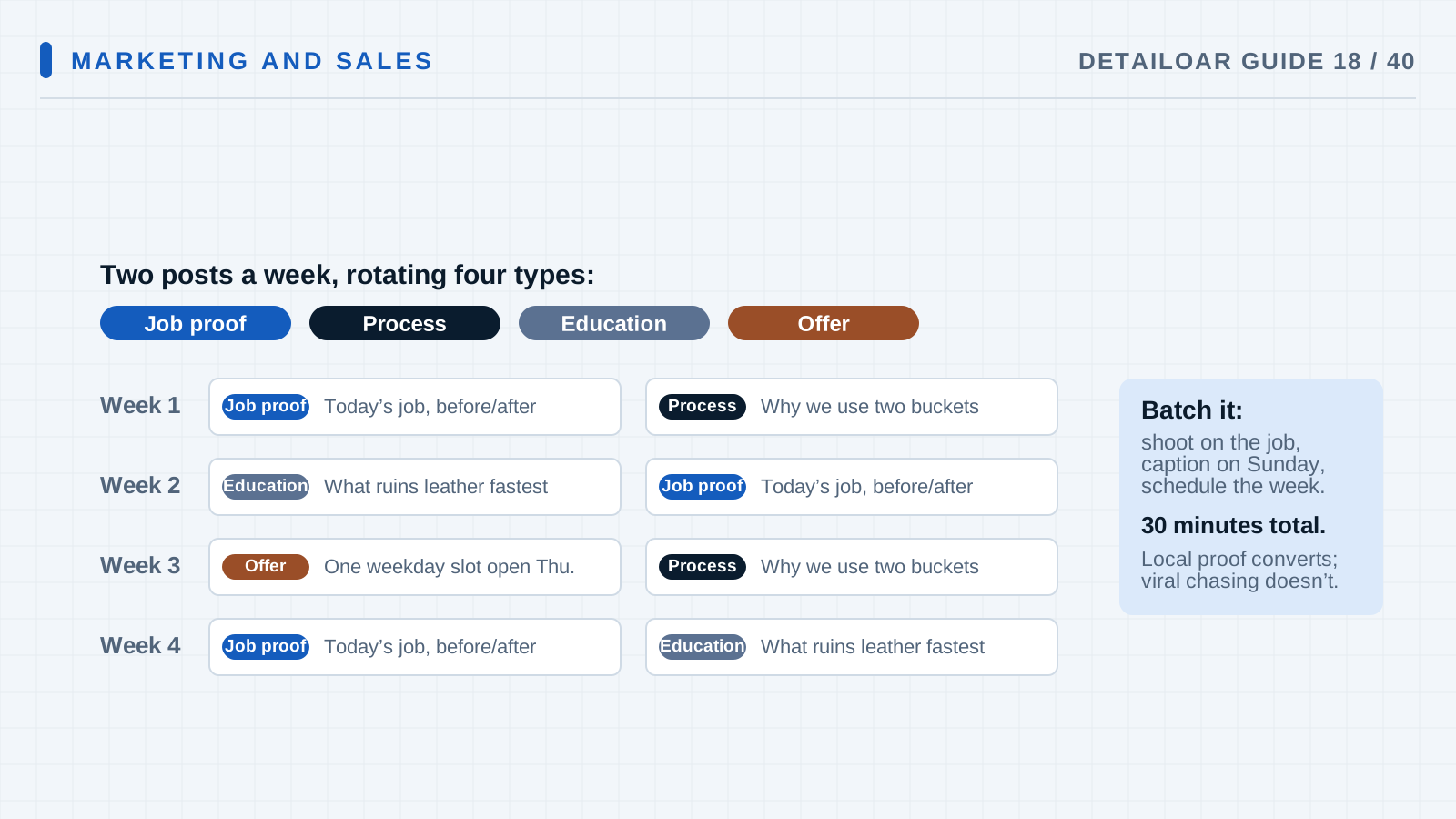
Step 3 Build a weekly mix
Plan three useful posts, a few short updates, and one CTA. Rotate real proof, customer education, process, local context, offers, services, and customer stages.
-
Step 4 Write captions in a fixed pattern
Go situation, decision, process, result with its limits, then one next action. Translate jargon and say what conditions sat behind the result.
-
Step 5 Batch and adapt
Write the source copy once, then tweak length, crop, captions, and links for each platform instead of cross-posting on autopilot.
-
Step 6 Respond and route leads
Watch comments and messages during your stated hours, lean on your response scripts, move private details to secure channels, and log where each lead came from.
-
Step 7 Review monthly
Compare saves, useful replies, profile visits, qualified leads, estimates, and bookings by pillar, then drop the formats that aren’t pulling weight.
Reference
Use the detail when you need it.
How it works
A content system gives every post a job: prove, teach, walk through the process, answer an objection, show you’re local, or invite a next step. Reusing one job across formats works when each version adds context instead of repeating the same noise.
Terms used in this guide
- Content pillarA subject you return to because it serves a customer question or business goal.
- Content batchSeveral posts built in one sitting from material you planned to capture.
Common mistakes
- Posting every finished car with the same tired caption.
- Chasing trends your buyers don’t care about.
- Grabbing unlicensed audio or media.
- Answering publicly with private job details.
- Hiding sponsorships or product relationships.
Troubleshooting
- Posting dies during busy weeksLean on the capture checklist and keep a small approved evergreen queue. Cut how often you post before you cut quality.
- Views climb but leads don’tAdd clearer local service context, some qualification, page links, and one specific ask, and double-check your source tracking.
- The feed feels like rerunsRotate the pillar, service, customer problem, vehicle type, team member, and format while the brand stays steady.
Finish
Check the result and close the loop.
What good looks like
- Anyone can tell the content comes from real jobs.
- Safety and privacy stay intact.
- Captions explain the decisions and the limits.
- The posting pace fits your delivery capacity.
- Messages get timely, tracked follow-up.
- Success gets measured past the view count.
Final checklist
- Platforms pared down
- Content mix set
- Permission workflow running
- Capture checklist in use
- Weekly mix scheduled
- Response owner named
- Monthly lead review booked
What to do next
- Tighten up your direct-message response time.
- Turn the questions you keep hearing into website guides.
- Put money only behind content that already converts on its own.
More
Continue only where it helps.
Learning paths with this guide
Get Your First 20 Customers9 guidesFrequently asked questions
How often should a detailer post?
Pick a pace you can hold while still answering customers. Three useful posts a week can beat daily filler.
Should I use trending audio?
Only when licensing and platform terms allow it and the trend actually carries your message. The post still has to work with the sound off.
Can one job create several posts?
Yes. One job can give you a matched result, a process lesson, an FAQ, and a maintenance tip, as long as each stands on its own context and permission.
Sources and review
Reviewed by DetailOAR Editorial Review on July 15, 2026. Verify current labels, interfaces, prices, and local requirements before acting.
Related field guides
 Marketing and SalesLead Response Scripts for Calls, Text Messages, and Direct MessagesAnswer every channel fast with scripts that qualify politely, lock in the next step, and record consent, without ever sounding like a robot.
 Marketing and SalesHow to Build a Detailing Website That Turns Visitors Into LeadsBuild a fast, credible detailing site that answers the questions buyers actually have, shows real work, and points every visitor to one clear next step.
 Marketing and SalesLocal SEO for Detailers: A Beginner’s Step-by-Step GuideGet found locally with a technically sound site, genuinely useful service and area pages, consistent business data, honest reviews, and smart internal links.